How to limit Instagram to five minutes at a time on iPhone
Keep Instagram for messages and quick checks. Here’s how to give each scrolling session a five-minute limit with Scroll Patrol.
To give each Instagram visit a five-minute limit, select Instagram in Scroll Patrol and set your scroll session limit to five minutes. When the session runs out, Scroll Patrol blocks access again. Apple’s built-in App Limits work differently. A five-minute limit there gives you five minutes total for the day.
1. Choose Instagram
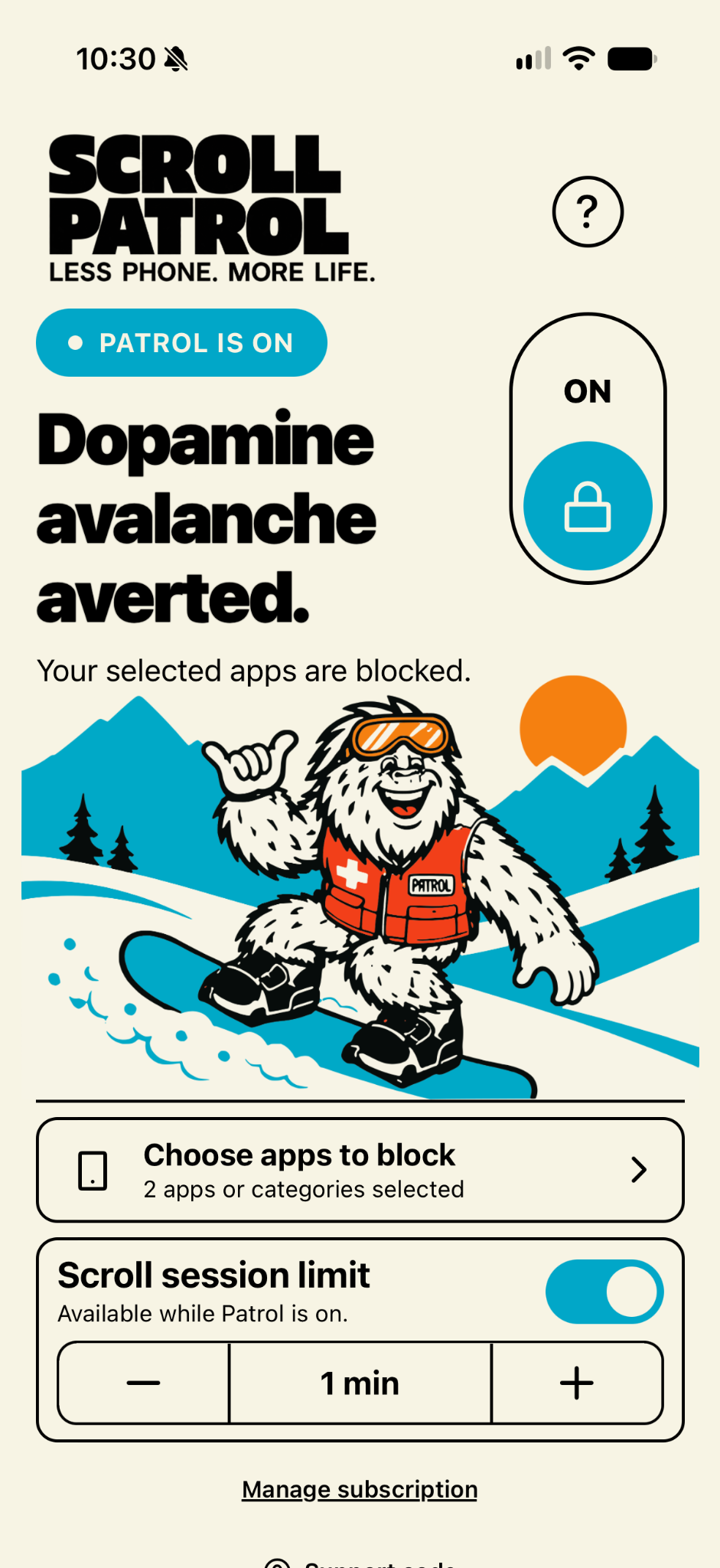
Open Scroll Patrol on your iPhone. Allow Screen Time access when prompted so the app can manage the apps you choose. Open the app picker, find Instagram, and select it. For a first test, leave the other apps unchecked. Your camera, maps, and messages can stay available.
2. Set five minutes
Find the Scroll session limit control on the home screen. If it’s dimmed, turn Patrol on so you can adjust it. Enable the session limit and use the plus or minus button until it reads 5 min. That number is how long a scrolling session can last.
3. Try one quick check
Start an Instagram session. Say a friend sent you a Reel. You can watch it, reply, and put your phone down whenever you’re done. If you keep scrolling instead, Scroll Patrol blocks Instagram when the five minutes are up. You don’t have to notice the clock or remember to start a separate timer.
What if five minutes is too short?
Pick a length that lets you finish the thing you opened Instagram to do. If you mostly reply to messages, five minutes might be plenty. If a normal conversation keeps getting cut off, give yourself a little longer. The useful question after a day of trying it is simple. Did a quick check actually stay quick?
A little backup for your next scroll.
Put a finish line on your scrolling sessions with Scroll Patrol.
Get Scroll Patrol ↗